
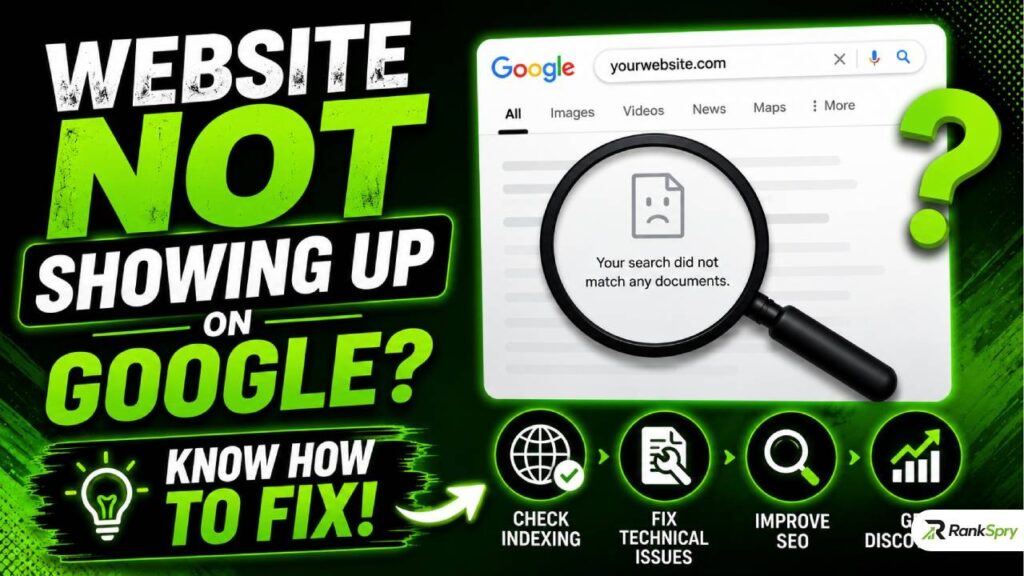
If you search your own business name and your website not showing up on Google search, you’re not imagining it, and you’re not alone. This is one of the most common — and most fixable — problems website owners run into. In almost every case, a website missing from Google search results comes down to one of four things: it hasn’t been indexed yet, something is technically blocking it, the content doesn’t give Google enough to work with, or the site is being outranked rather than truly invisible. Each of these has a clear, specific fix, and most don’t require a developer.
This guide walks through exactly why your website isn’t showing up on Google, how to confirm what’s actually happening, and what to do about it — including what’s changed now that AI Overviews and chatbots like ChatGPT and Gemini have become part of how people search.
Step 1: Confirm Your Site Is Actually Missing (Don’t Skip This)
Before troubleshooting anything, verify the problem is real. A surprising number of people assume their site isn’t on Google when it’s simply ranking low — page 4, page 10, page 40 — rather than missing entirely.
Run this search directly in Google:
site:yourdomain.com
If pages appear, your site is indexed; you have a ranking problem, not a visibility problem, and the fixes further down (content depth, backlinks, page speed) are what you need. If nothing appears at all, your site genuinely isn’t indexed, and you should move to Step 2.
A few things to rule out first: make sure Safe Search isn’t filtering results, that you’re not searching from a device or location where the page behaves differently (some sites serve broken or different versions on mobile), and that you’ve waited a reasonable amount of time if the site or page is brand new. Google needs to crawl a page before it can index it, and that alone can take anywhere from a couple of days to a few weeks.
Step 2: The 9 Real Reasons a Website Not Showing Up on Google Search Results
1. Your Site Is New and Hasn’t Been Crawled Yet
Google can’t index what it hasn’t found. New domains, in particular, face extra scrutiny — Google’s systems are cautious about brand-new sites because spam, throwaway domains, and low-quality content farms are also brand-new sites. Your site needs to earn trust through time, consistent content, and real user signals before it gets indexing priority.
Fix: Set up Google Search Console immediately, verify ownership, submit an XML sitemap, and use the URL Inspection tool to manually request indexing for your most important pages. This won’t guarantee instant indexing, but it gives Google a direct signal that your site exists and is worth crawling sooner.
2. A “Noindex” Tag Is Telling Google to Skip Your Page
This is one of the most common — and most overlooked — culprits. A noindex meta tag is a small piece of code that explicitly instructs search engines not to index a page. It’s often left in place accidentally after a site migration, a redesign, or because a developer used it during staging and forgot to remove it before launch.
Fix: In Search Console, go to the Indexing report, click “Pages,” and look for anything listed under “Excluded by noindex tag.” Remove the tag from any page you actually want found.
3. Robots.txt Is Blocking Crawlers
Your robots.txt file tells search engines which parts of your site they’re allowed to crawl. If it’s misconfigured — even by one wrong line — it can block Googlebot from your entire site without you realizing it.
Fix: Check yourdomain.com/robots.txt directly in your browser, or use the robots.txt tester inside Search Console, and make sure nothing important is disallowed.
4. A Manual Action or Security Issue Has Been Filed Against Your Site
If your website used to rank and then vanished, this is worth checking before anything else — especially if you recently acquired the domain from someone else, since manual penalties can transfer with it. Google applies manual actions for things like spammy links, thin or auto-generated content, or cloaking, and these can lower your rankings or remove pages from the index entirely.
Fix: Check the Manual Actions and Security Issues reports in Search Console. If something is listed, Google tells you exactly what triggered it and what to fix before requesting reconsideration.
5. A Botched Site Migration or HTTPS Move
Moving to a new domain, restructuring URLs, or switching from HTTP to HTTPS without proper 301 redirects is a classic way for a previously healthy site to disappear from results. Search engines see the old URLs returning errors or duplicate content and lose confidence in which version to show.
Fix: Make sure every old URL permanently redirects (301, not 302) to its correct new equivalent, and confirm only one version of your site — not both the HTTP and HTTPS, or both the www and non-www — is being indexed.
6. “Crawled — Currently Not Indexed” (the Confusing One)
This status in Search Console means Google visited your page, read it fully, and made a deliberate decision not to add it to the index. It’s not a technical error — it’s a quality judgment. As indexing has become more selective, this status has become far more common, even for legitimate, error-free pages.
Fix: This almost always points back to content depth and uniqueness (see #7) or to the page simply not being distinct enough from other pages on your own site or competitors’ sites. Strengthening the content itself is the real fix here, not resubmitting the URL repeatedly.
7. Thin or Low-Value Content
Google needs enough substance on a page to understand what it’s about and decide it’s worth showing someone. A homepage with just a business name, a logo, and a phone number gives Google almost nothing to work with.
Fix: Aim for genuinely useful depth on important pages — generally in the 300–500+ word range for service or product pages — that clearly explains what you offer, who it’s for, and what makes you different. The goal isn’t hitting a word count; it’s answering the actual questions a visitor or a search engine would have.
8. Technical Performance Problems (Speed, Mobile, JavaScript)
Google indexes the mobile version of your site as the primary version, so a site that looks fine on desktop but is slow, broken, or cramped on mobile will consistently underperform. Heavy JavaScript frameworks can also cause issues: Googlebot can render JavaScript, but it’s slower and less reliable than plain HTML, and some sites accidentally serve a near-empty page to crawlers while showing full content to human visitors.
Fix: Run your site through Google’s PageSpeed Insights and Mobile-Friendly Test. Use Search Console’s “View Rendered HTML” feature to check exactly what Googlebot sees versus what a visitor sees, and fix any gap.
9. No Backlinks or Authority Signals
Even a flawless, well-indexed site can sit invisible if nothing else on the web links to it. Backlinks function as a trust signal — when other credible sites link to yours, it tells Google your content is worth surfacing.
Fix: Start with realistic, accessible sources: industry directories, local business associations, partner and supplier websites, and guest contributions on relevant sites. Quality and relevance matter far more than volume.
What’s Changed: Your Website Also Needs to Show Up in AI Search
Here’s the part most “website not showing up on Google” guides miss in 2026: getting indexed and ranked in classic blue-link search is no longer the whole picture. A large and fast-growing share of search now happens through AI Overviews, Google’s AI Mode, and standalone chat tools like ChatGPT, Perplexity, Gemini, and Claude. These systems don’t just rank pages — they read multiple sources and generate a direct answer, sometimes citing a source, sometimes not.
This is the discipline now commonly called Generative Engine Optimization (GEO) — also referred to as AEO (Answer Engine Optimization) or LLM optimization. Google itself has said publicly that optimizing for AI Overviews is still fundamentally SEO, since both run on the same core ranking and quality systems as regular Search. But the way content earns a citation inside an AI-generated answer is more specific than ranking position alone.
A few things make a real difference here:
- Ranking position and AI citation are not the same game: One analysis found that around 83% of AI Overview citations come from pages outside Google’s organic top 10 results, and a separate report noted the overlap between top-ranking Google pages and AI-cited sources has fallen from roughly 70% to under 20%. In other words, a page sitting on page two can still get picked up and quoted by an AI answer if it’s structured the right way — and a page ranking #1 isn’t guaranteed a citation at all.
- Lead with the direct answer: Tools that pull live information, such as Perplexity and Google AI Overviews, tend to evaluate a page’s relevance mainly from its opening content, so the first short section of any page should answer the core question plainly before going into detail. Content that opens with a clear, short answer paired with a credible source tends to get cited more often.
- Authority still compounds: Sites with a stronger backlink profile have a measurable edge: pages on sites with a large number of referring domains are roughly 3.5 times more likely to be cited by AI systems, which is part of why established publishers still show up frequently in AI answers even when a smaller site’s content is more thorough on a specific question.
- Original data and clear structure beat recycled summaries: AI systems can generally tell the difference between an original analysis and a reworded summary of someone else’s article, and they favor the former when deciding what’s worth citing as a source.
Practically, this means the same fixes that solve “why isn’t my site showing up on Google” — clean indexing, real content depth, technical health, and backlinks — also build the foundation GEO needs. The extra layer on top is: answer the question in the first few sentences, use clear headings that match how people actually phrase questions, back up claims with specific data, and make sure nothing (like an overly aggressive robots.txt rule) is blocking AI crawlers from reading your pages in the first place.
A Realistic Timeline
Patience matters here, and timelines vary a lot depending on where you’re starting from:
- A site with a technical issue that just got fixed can reappear within days to a few weeks.
- A brand-new site with no backlinks and no history often needs three to six months before it gains real traction for competitive terms.
- Once a sitemap is submitted and indexing is requested through Search Console, Google typically crawls the site within a few days — though indexing the page is a separate, later step.
Quick Recap
A missing website is almost never a mystery — it’s a specific, diagnosable problem. Start by confirming the site is actually missing with a site: search, then work through Search Console to check for noindex tags, robots.txt blocks, manual actions, and indexing status. From there, strengthen content depth, fix technical and mobile performance issues, and build a handful of genuine backlinks. And as search itself evolves, structure your content so it’s just as useful to an AI engine summarizing an answer as it is to a person scrolling through results — because increasingly, those are no longer two separate audiences.